ServicesAutomation and AI
AutomateBookings, quotes and admin
We automate the admin your team repeats every day.
Enquiries answered, quotes sent, jobs booked and reminders out, connected to the tools you already use, with AI only where it helps.
A job, through a system we built
One job, start to finish.
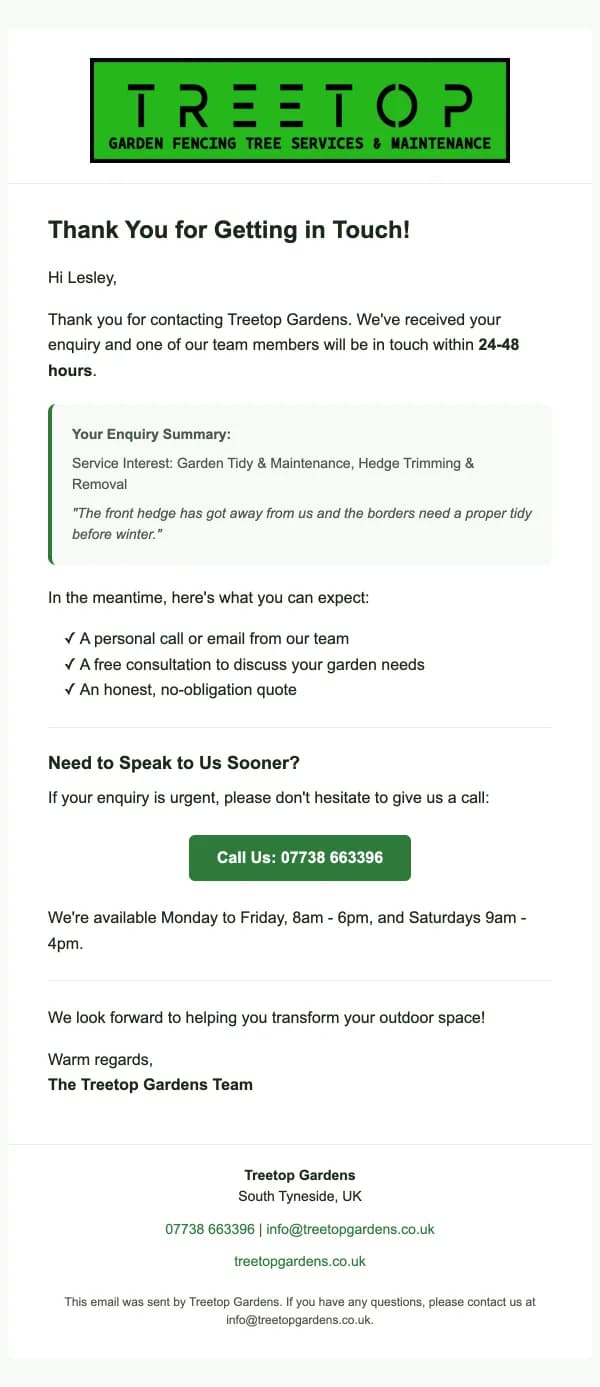
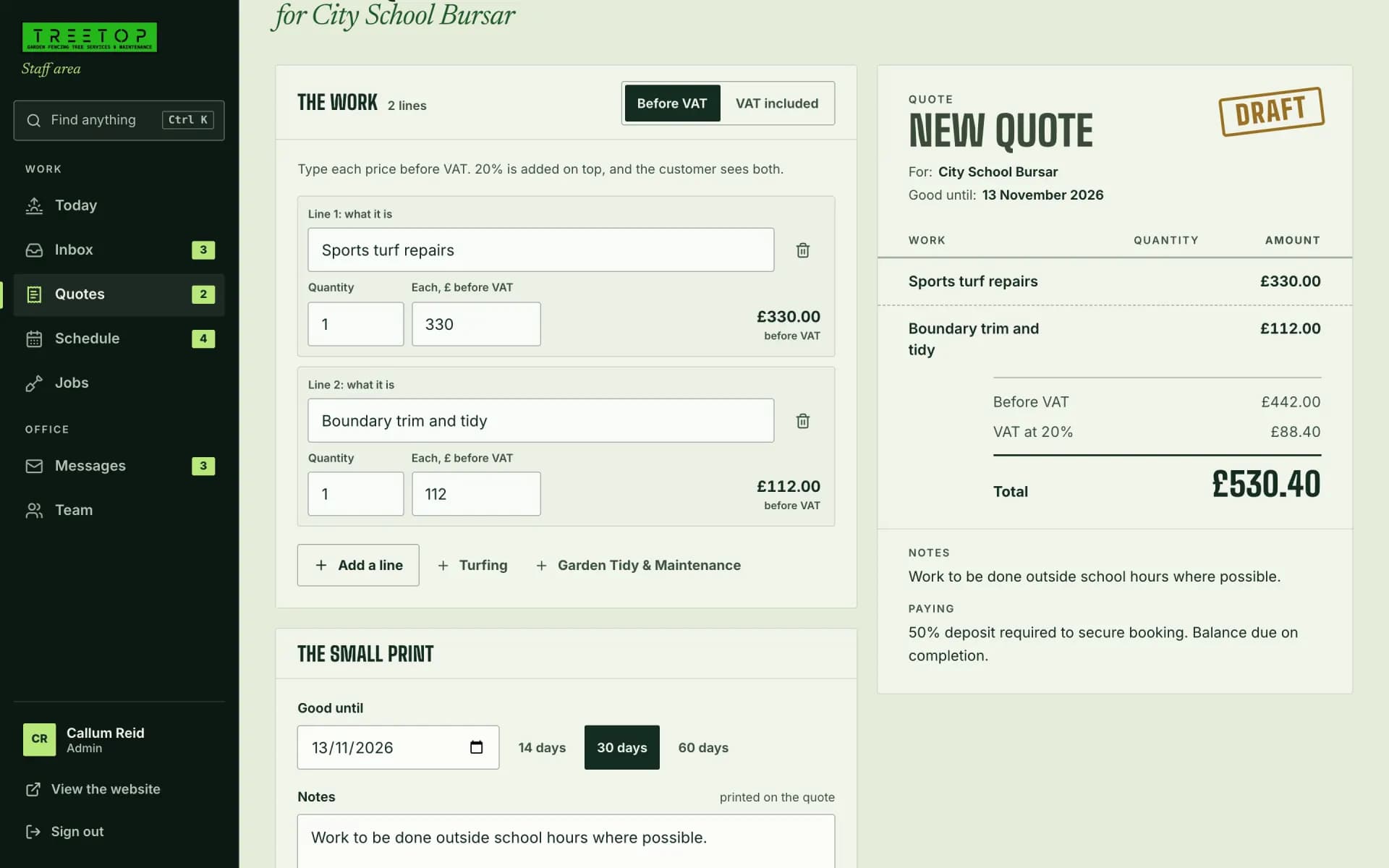
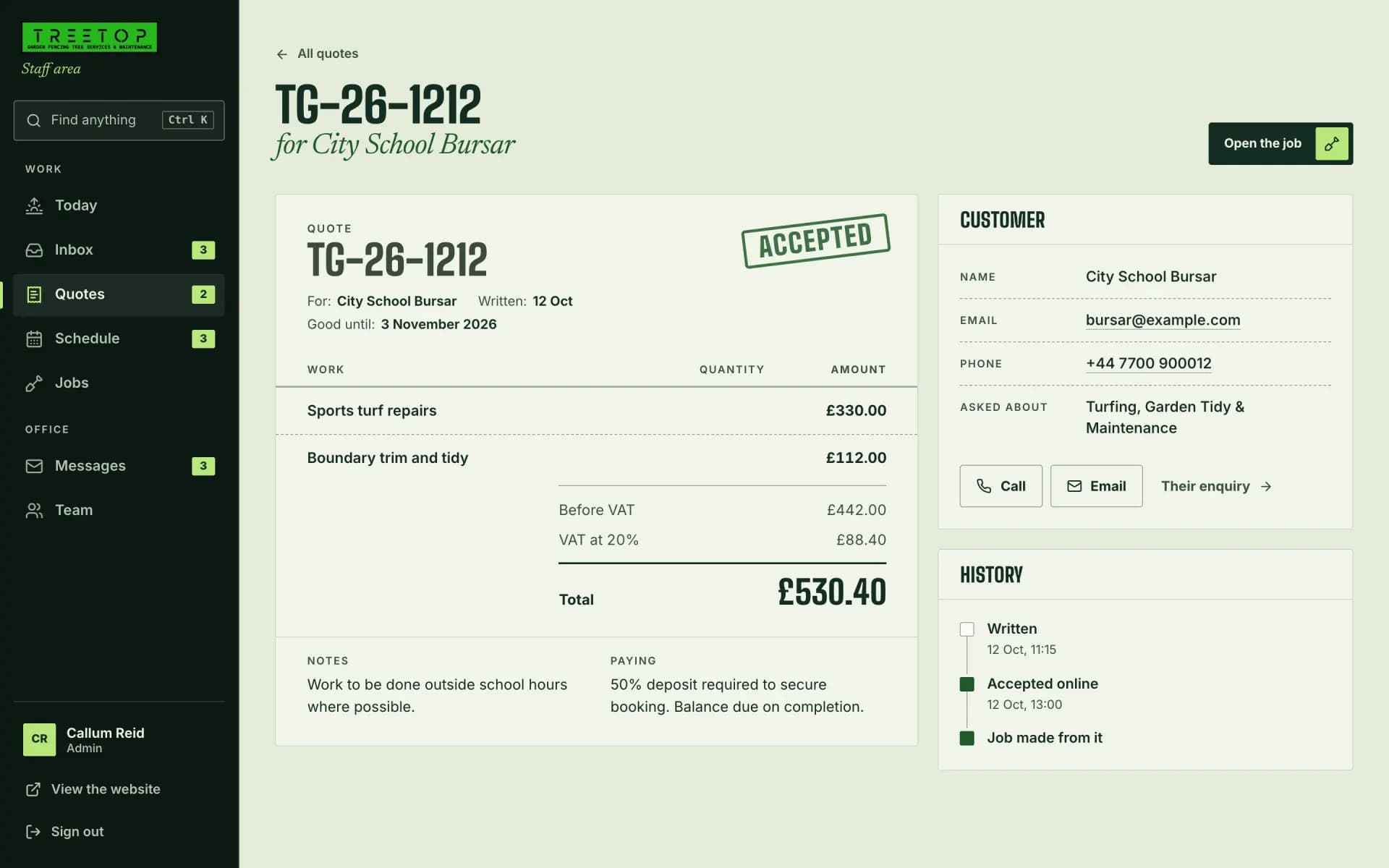
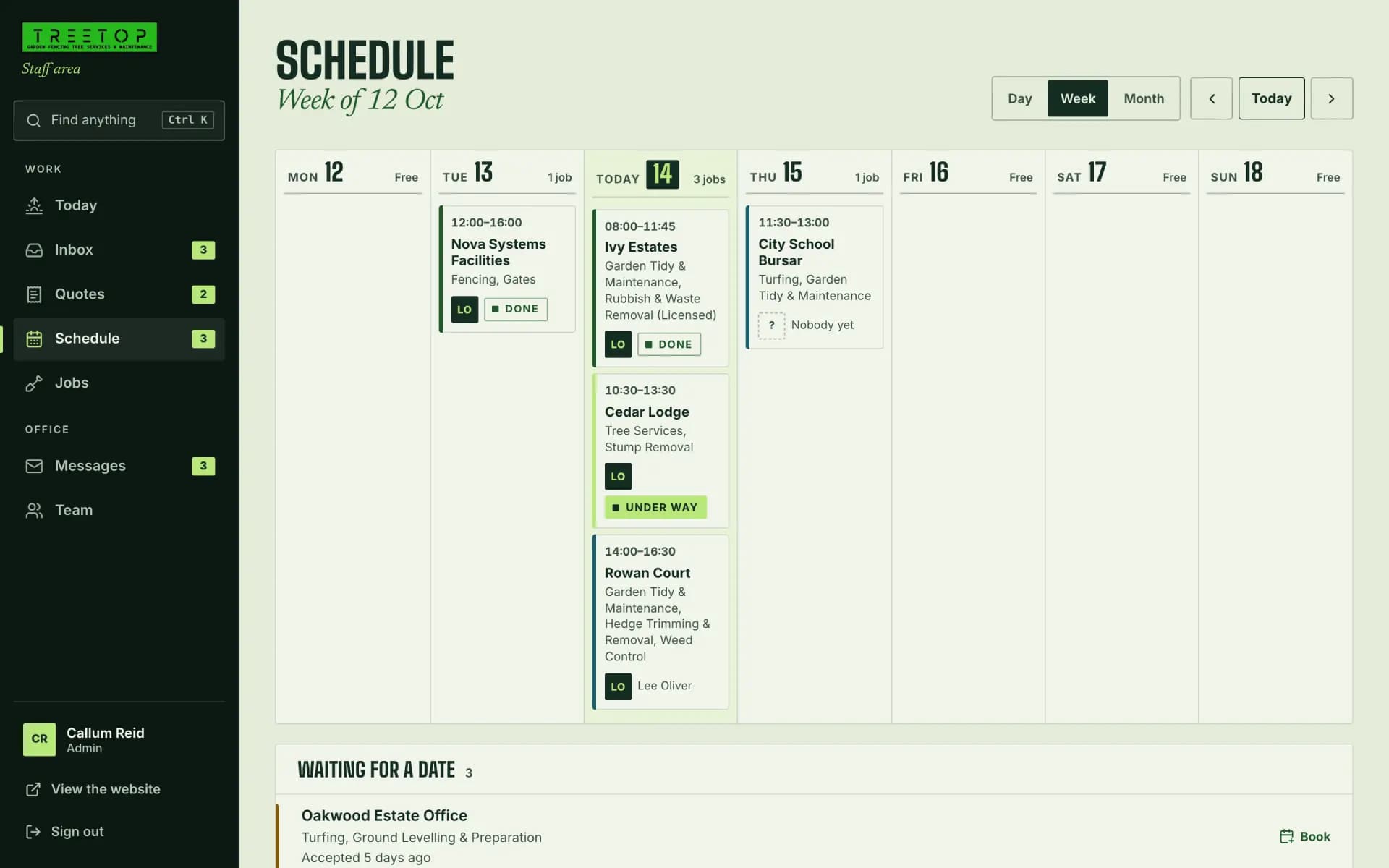
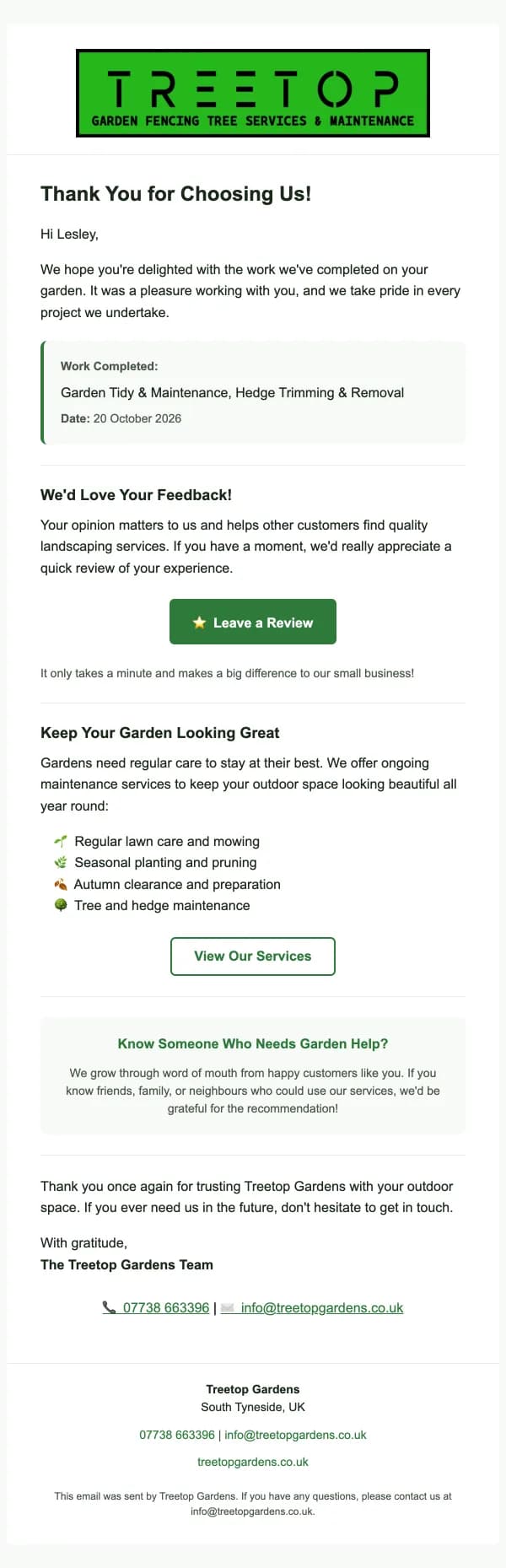
A school’s turf repairs going through the system we built for Treetop Gardens, from the enquiry to a thank-you, on their own screens.
Their system, shown with a made-up customer.
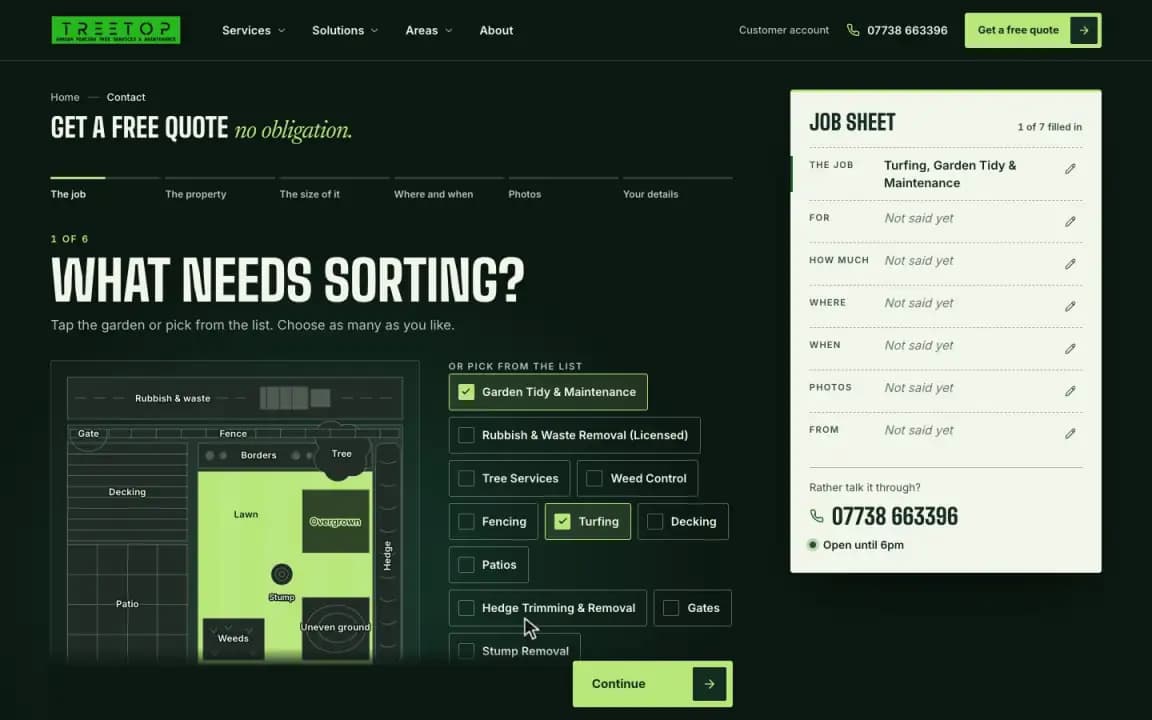
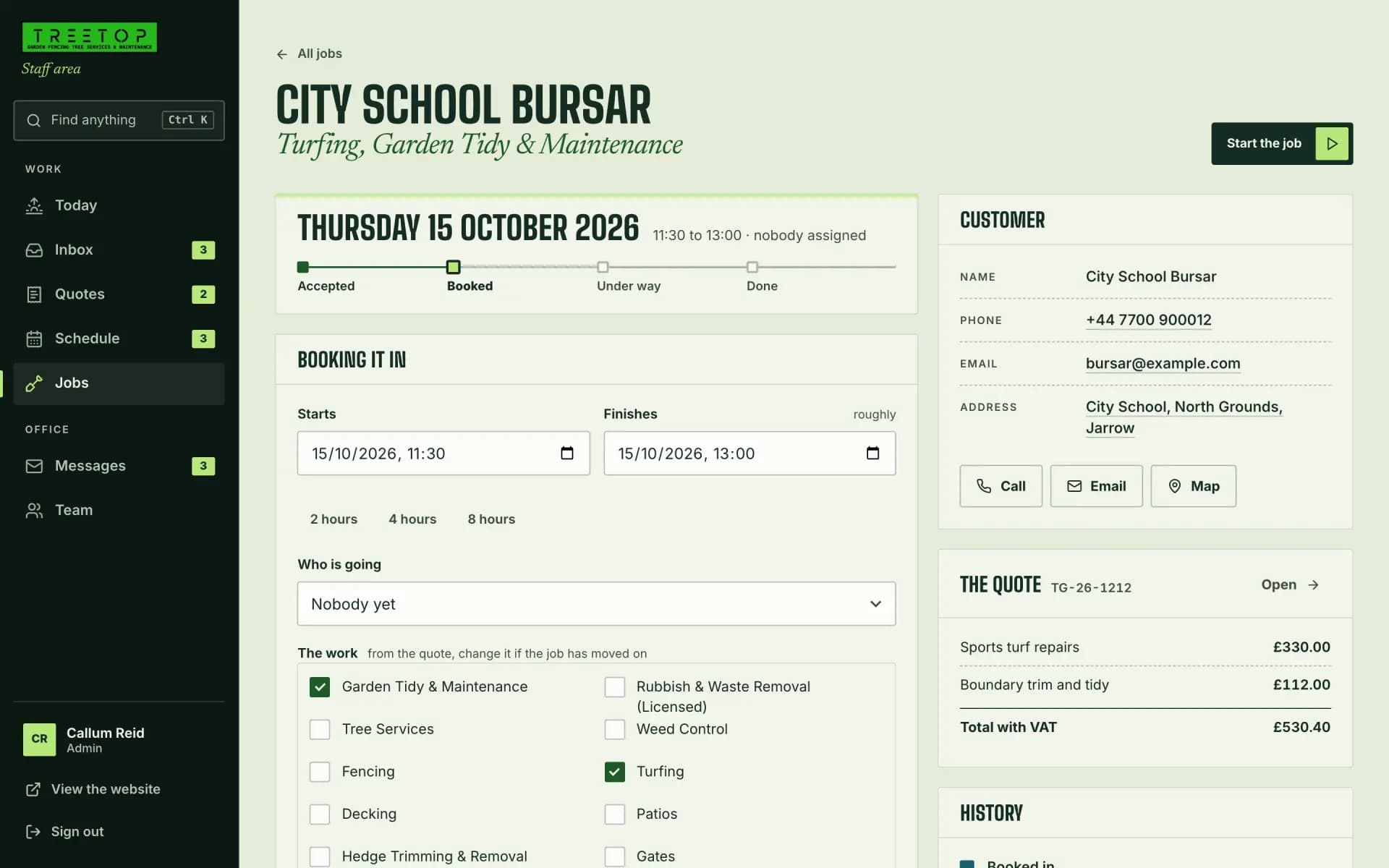
- Enquiry sentFrom the plan of a garden on their website.
- Reply sentAn email straight away to say it arrived.
- Quote sentWritten from the services they asked for.
- Quote acceptedOnline. The job is made there and then.
- Day bookedA date, a time and a crew, then a confirmation email.
- On the scheduleIn the week, beside every other job.
- Thank-you sentOnce it’s done, with a link to leave a review.
Most of it is the same steps, every week.
11 hrs
In use
The admin, handled by the system.
An enquiry becomes a quote, an accepted quote becomes a job, and the emails go out on their own.
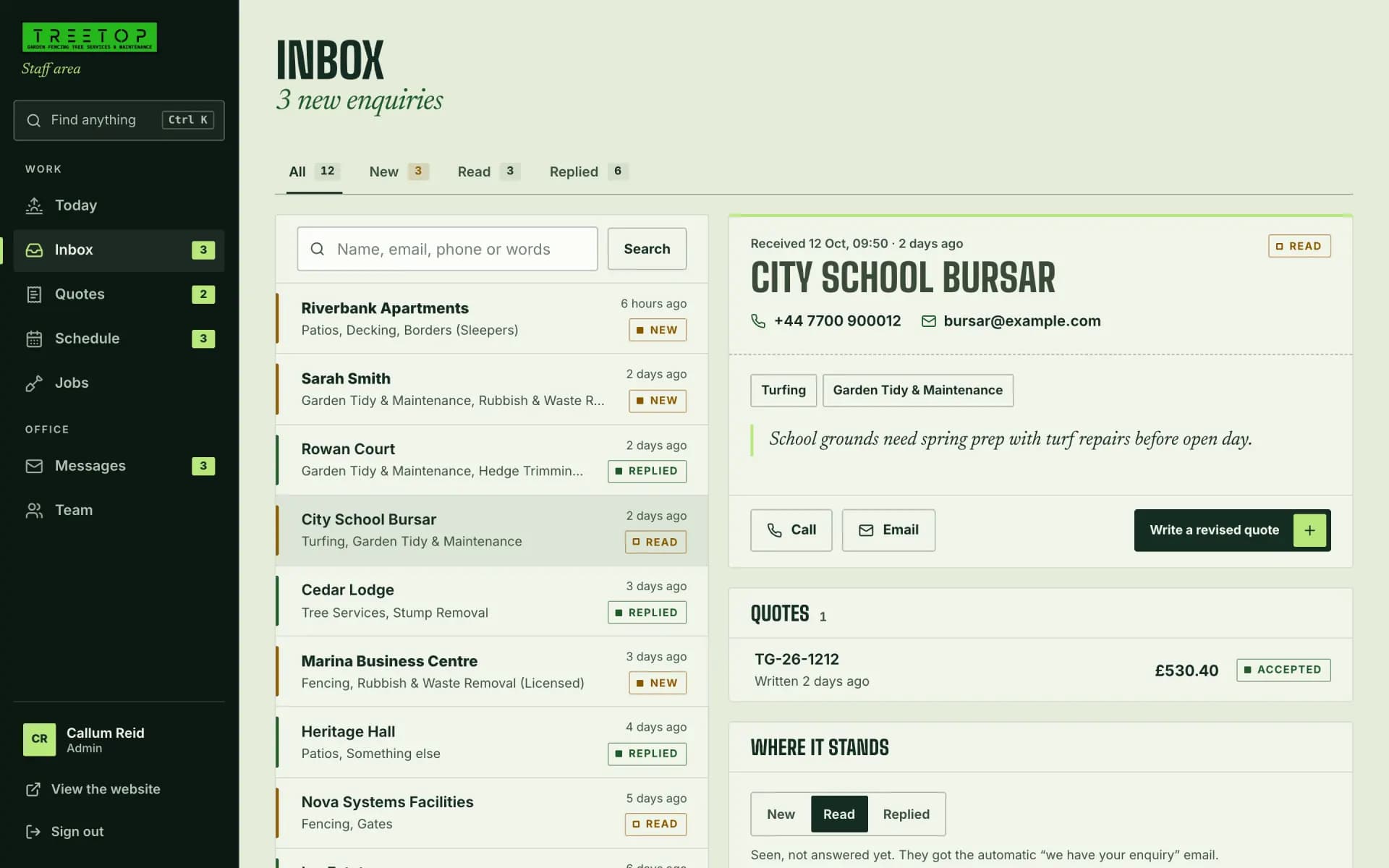
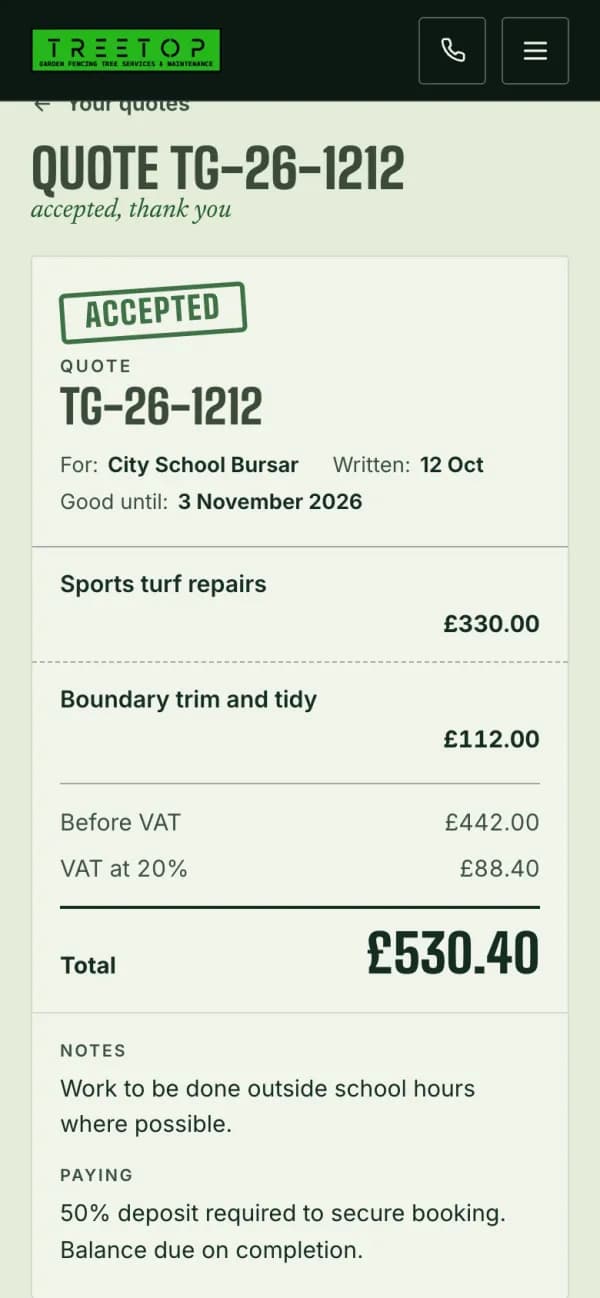 Treetop Gardens A customer’s quote
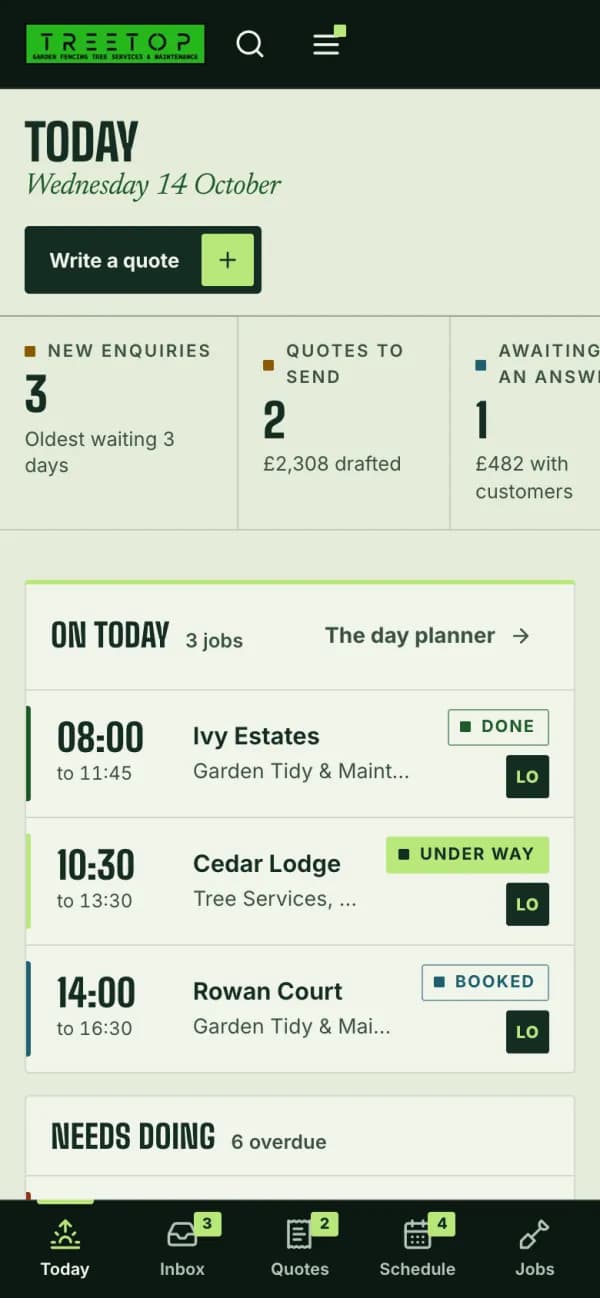 Treetop Gardens Today’s jobs
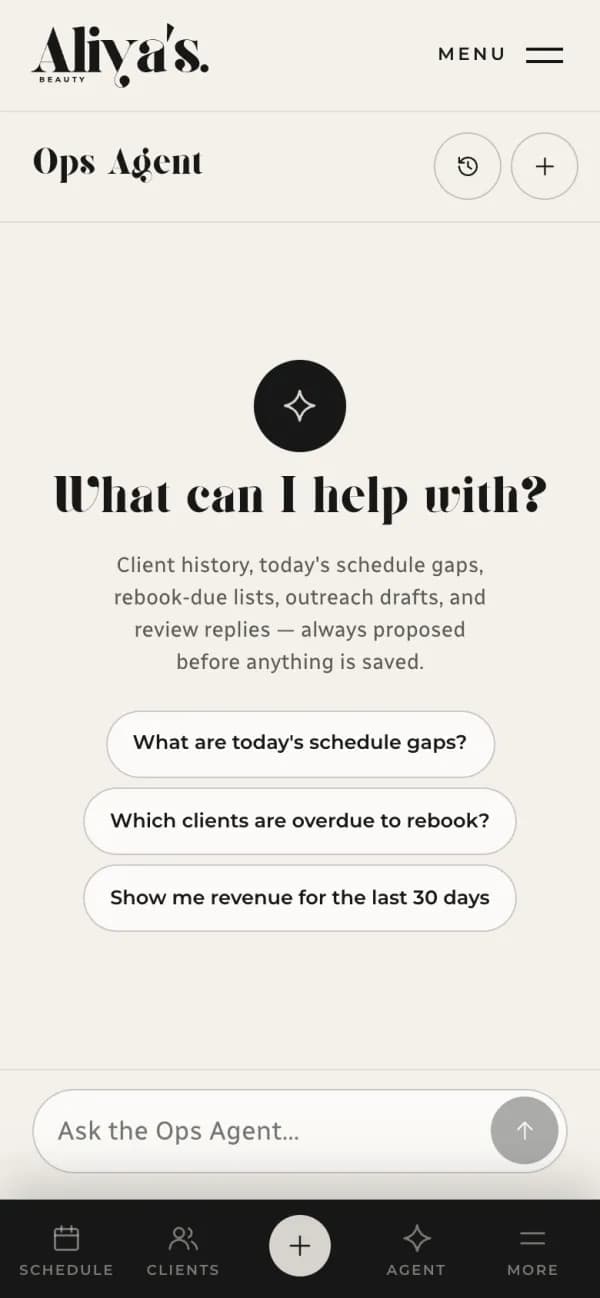 Aliya’s Beauty Assistant
What you get
The admin that runs itself.
We start with one process that eats your week and make it run on its own, then the next.
- 01
Enquiries in one place
From the website, email and calls, in one record.
- 02
Replies and reminders on time
Sent when they should be, without anyone remembering.
- 03
Quotes and invoices without retyping
Written once, from what the customer asked for.
- 04
Your tools connected
CRM, email, calendar, forms and accounts, talking to each other.
- 05
A safe fallback
Every step logged, retried if it fails, and easy to do by hand.
- 06
Documented
So anyone on the team knows what runs and why.
AI workflows
AI that reads and drafts. A person decides.
Where rules aren’t enough, AI can read a document, sort an inbox or draft a reply. We design where it stops and a person approves, and every step is logged.
- ReadingInvoices, forms and emails turned into data.
- SortingEnquiries routed to the right person.
- DraftingReplies and summaries ready for a person to send.
- Document receivedPDF from the accounts inbox.System
- Fields extractedSupplier, PO number, line items, total.AI
- Matched to purchase orderThree of four lines match.Rule
- Needs a personTotal is £120.00 over the purchase order.Finance
- Posted to accountsWith the approval on the audit trail.System
Ready to run.
An example workflow. Press the button when it stops for a person.
How it runs
Five steps, each one agreed.
You see where things are at every step, and nothing starts until you’ve agreed what it is and what it costs.
How every project runs- MapThe process as it runs today, its exceptions and who owns each step.
- ScopeThe smallest automation that saves real time.
- Build and testWith your team, on your real cases.
- LaunchWith documentation and a manual fallback.
- Look after itMonitoring and changes as the business changes, if you want them.
Our work
Where we’ve built it.
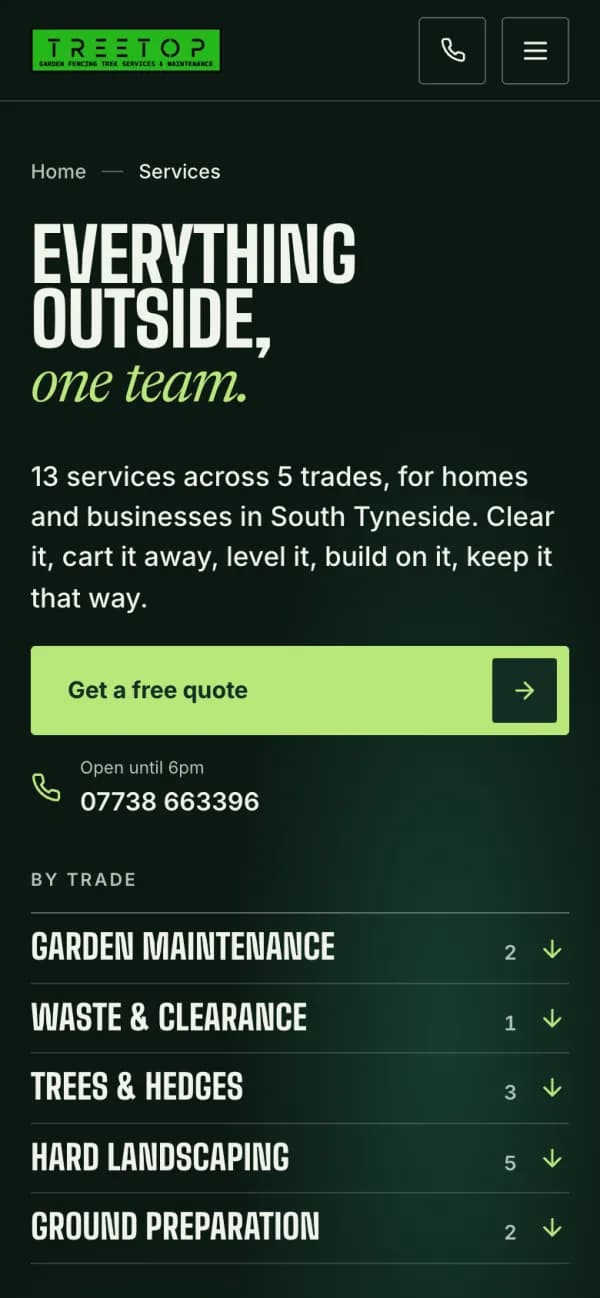
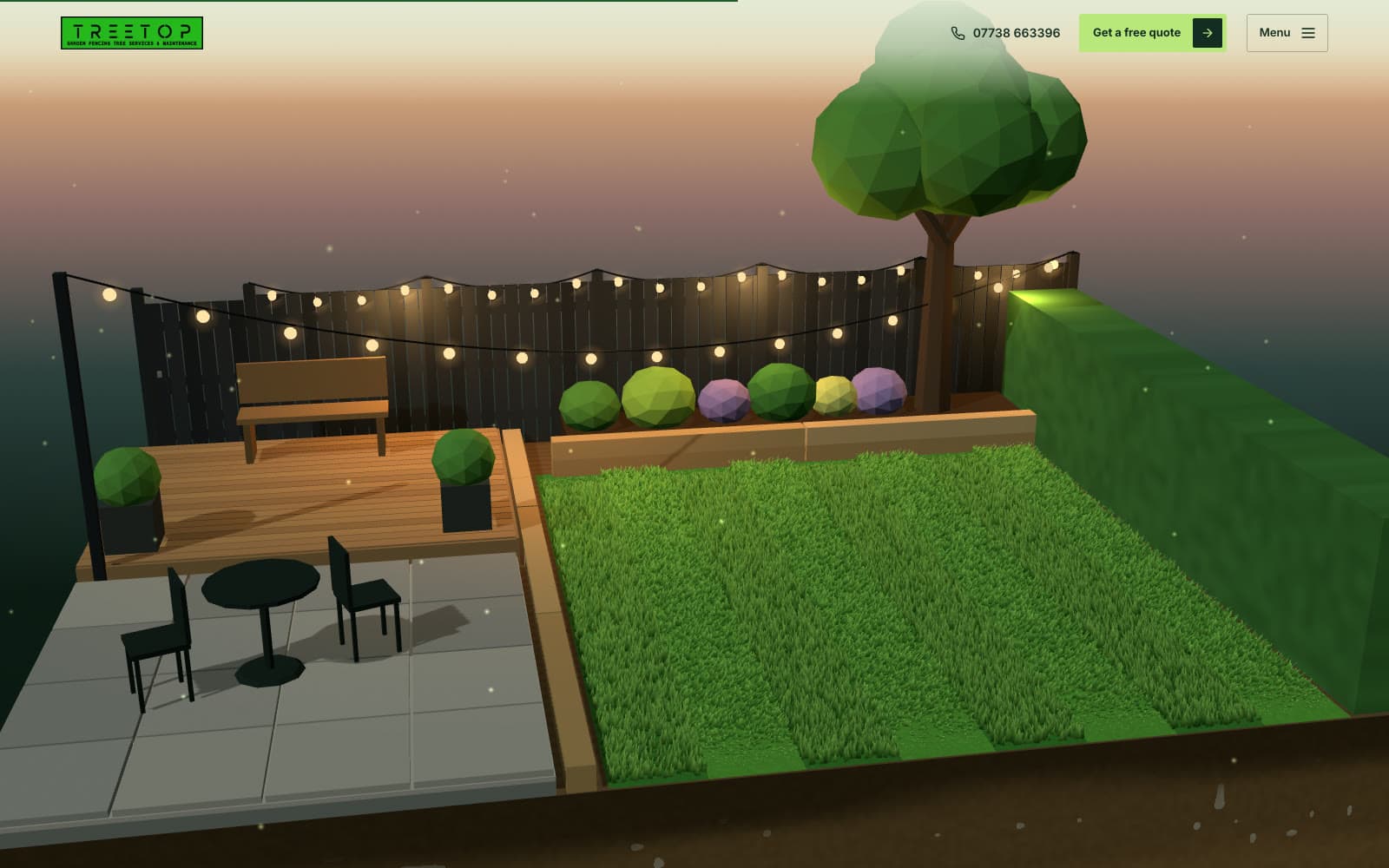 Landscaping and licensed waste, South TynesideTreetop GardensEnquiries, quotes, jobs and a staff workspace, in one system.WebsiteEnquiry formQuotes and jobsStaff workspace
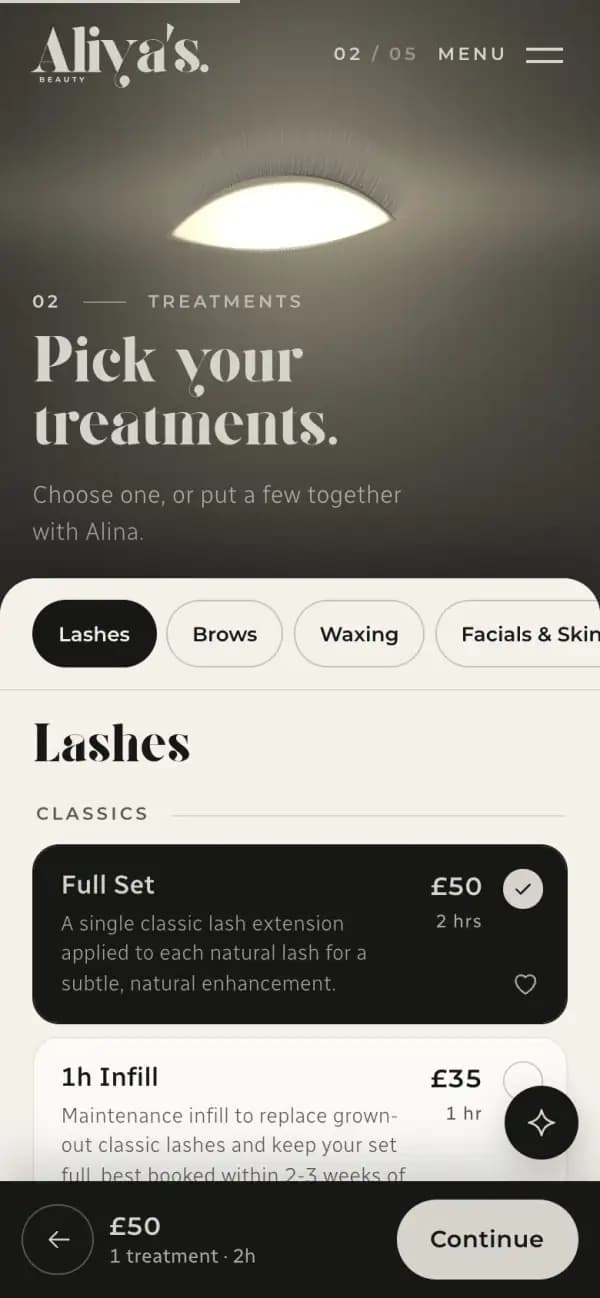
 Brows, lashes and beauty, South ShieldsAliya’s BeautyBookings, deposits and reminders that run without the front desk.WebsiteBookingDepositsStaff tools
Is it right for you
Who it suits, and who it doesn’t.
A good fit if
- Your team retypes the same details into different places.
- You already use a CRM, email or booking tool.
- Someone can explain how the process runs today.
Probably not if
- “AI everywhere”, with no process behind it.
- The fix is a simpler tool or one more person. We’ll tell you if so.
What it costs
Priced to the process, not the technology.
One reminder flow and a whole quoting system are different jobs. We map the process first and quote the smallest piece that saves real time, then the next.
Third-party subscriptions and AI usage are paid to those providers.
How pricing worksYour quoteAutomation and AI
- Steps and toolsHow many there are, and how many systems they touch.Sized to you
- Exceptions and approvalsWhat happens when it isn’t the usual case.Sized to you
- DataWhat needs moving or tidying first.Sized to you
- Looking after itWhether you want it monitored after launch.Sized to you
Fixed before anything starts.
Questions
Before you get in touch.
Is this custom software?
Often not. Many automations connect tools you already have. Bigger workflows can grow into custom software later.
Will AI make decisions on its own?
No. AI reads, sorts and drafts. A person approves what matters, and every step is logged.
What can you connect to?
CRMs, email, calendars, forms, booking and accounts tools. We check what yours can connect to before we quote.
Show us the process that eats your week.
Walk us through it as it runs today, workarounds and all. We’ll reply within one working day.